













































What the matrix rain screensaver is
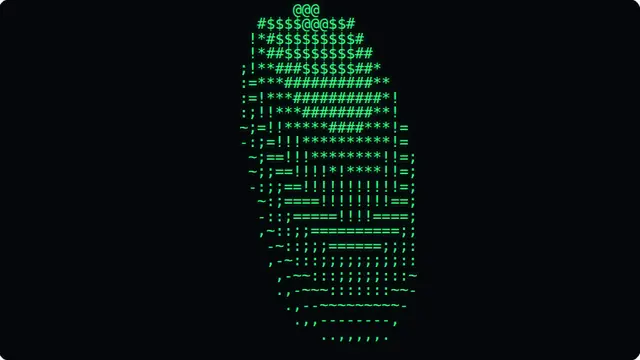
The falling-code effect is built from drops travelling down independent columns at slightly different rates. The character at the head of each drop is drawn near-white and the trail behind it fades through your chosen tint, which is what gives the rain its sense of depth — without the bright head it reads as a flat green wash.
Three things make this version look like the film rather than like a screen of green text. The glyphs mutate while a trail is passing over them, so the code appears to be alive rather than scrolling. Every glyph carries a soft halo and the whole frame is bloomed, so the heads read as light instead of as white letters. And with 3D depth on, smaller and dimmer columns fall behind the front layer at their own speed, which gives the screen real distance.
Glyphs are drawn with a monospace font, mixing half-width katakana with digits and punctuation, and mirrored by default the way the originals were. Nothing is a video: the whole thing is generated a frame at a time, so it stays sharp on any display from a laptop to a wall-mounted television.
- A background for a stream, a party or a themed event
- A convincing "working on something serious" screen
- An idle display that is interesting to glance at but not distracting
Matrix screensaver online: digital rain in a browser tab
Because it runs as a web page there is nothing to install and nothing that can outlive the tab. Close it and it is gone.
Ten controls sit beside the player. Fall speed and density change how busy the screen is; trail length sets how far each drop smears behind its head; glyph change rate controls how fast characters mutate, and dropping it to zero freezes them into a still alphabet. Glow drives the bloom, fall angle slants the rain up to thirty degrees either way, and 3D depth adds the parallax layers behind the front one.
The colour control takes any hex value, so the rain can be amber for an old terminal look, cyan, red, or any brand colour you need — the head and the halo are derived from whatever you pick, so the depth survives the change. Every setting goes into the URL as you change it, which makes a particular look shareable as a link.
How to run the matrix rain screensaver full screen
Press the fullscreen button on the player, or the F key. Escape brings you back to the page. On a desktop browser F11 does the same job and hides the browser’s own toolbars as well, which is what you want on a display that is going to be left running.
Everything you change in the settings is written into the address bar as you change it, so the version you have set up is a link. Bookmark it, or send it to whoever is running the screen. Space pauses and resumes at any time.