Monitor & Display Tests
Test patterns for checking a display. These pages show you the pattern at full screen; the judgement is yours and your eyes — a web page cannot measure a panel, and any site that claims otherwise is guessing.
- Dead pixels
-
 Blue light
 -
 Resolution
 -
 Contrast ratio
 - Colour test
- Backlight bleed
-
 Gradient test
 - Uniformity
- Burn-in test
-
 Ghosting
 -
 Response time
 -
 Pixel fixer
 -
 Test patterns
 -
 Grid alignment
 -
 Sharpness
 -
 Refresh rate
 -
 Gamma
Gamma -
 High contrast
 -
 Colour vision
 -
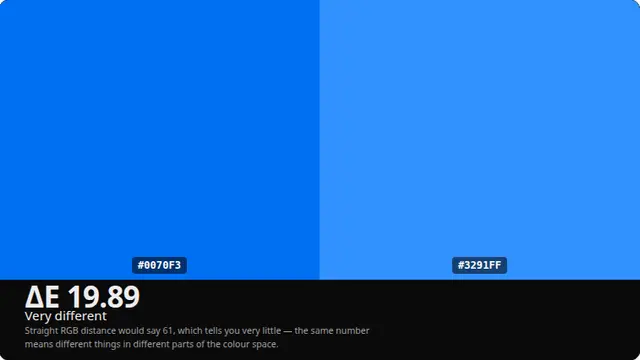 Colour distance
A sensible order to test a monitor in
Start in a dim room with the panel warmed up for ten minutes, and clean the screen first — most "dead pixels" people find are dust. Then work through the dead pixel test, backlight bleed, uniformity, gradient banding and finally sharpness. Anything you find in the first two makes the later tests harder to read, so the order matters.
Every page here shows you a pattern at full screen. It does not measure your panel, because a web page cannot: the browser has no access to the display's electronics, its calibration, or its real pixel grid. What the browser can do is put an exact known colour or pattern in front of you, which is all a trained eye actually needs.
Where a number is genuinely available — reported resolution, an estimate of refresh rate from frame timing — the page shows it and says plainly how it was obtained and where it is unreliable.
Questions
How do I test my monitor online?
Open a test pattern from the grid above and put it fullscreen with F, then look at the whole panel rather than the middle of it. Work through dead pixels, backlight bleed, uniformity, gradient banding and sharpness in that order — problems found by the first two make the later patterns harder to read.
Can a website really test a display?
It can show you an exact known pattern at full screen, which is what your eyes need in order to judge a panel. It cannot measure anything: the browser has no access to the display's electronics, its backlight, its calibration or its real pixel grid. Any site claiming to measure your panel's contrast ratio or colour accuracy is guessing.
How do I check for dead pixels?
Run the dead pixel test and cycle through white, black, red, green and blue at full screen in a dim room. A dead pixel stays black on every colour. A stuck pixel stays lit in one colour on every field. A speck that moves when you wipe the screen was dust, which is what most of them turn out to be.
What is backlight bleed and how do I see it?
Light from the backlight escaping around the edges of an LCD, visible as pale patches or corner glow on a dark image. Open the black screen or the backlight bleed test in a fully dark room, with the panel warmed up for ten minutes. Some bleed is normal on every edge-lit LCD; a large bright patch is not.
What should I test before returning a new monitor?
Dead and stuck pixels, backlight bleed, uniformity on a mid grey field, gradient banding and — if the panel is an OLED or a heavily used LCD — image retention. Photograph anything you find, in a dim room, with the pattern on screen. Manufacturers have their own pixel-fault thresholds, so check the warranty terms before assuming a single dead pixel qualifies.
Can these tests fix a stuck pixel?
Sometimes. The pixel fixer flashes rapidly changing colours over the affected area, which occasionally frees a sub-pixel that is stuck rather than dead. Leave it running for a few hours. It cannot do anything for a genuinely dead pixel, which has no power reaching it at all.
Do the tests work on a phone or a TV?
Yes. Anything with a modern browser will show the patterns at its own native resolution. Phones and TVs both need the display's own brightness turned up and any automatic brightness or ambient light adjustment turned off first, or the panel will change what it is showing while you are trying to judge it.