










































What the fake windows 10 update screen is
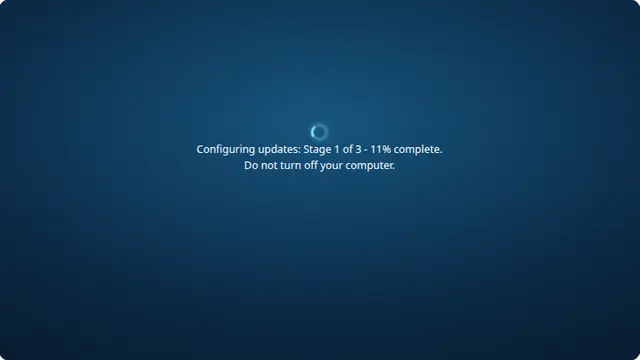
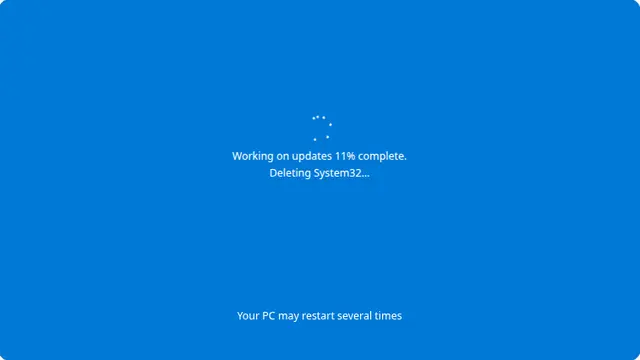
This is the screen that defined the era: a flat #0078D7 blue, a ring of dots, and the warning that the machine will restart several times. Windows 10 was notorious for choosing the worst possible moment to show it.
The dot spinner is the detail worth getting right. It is six dots chasing each other around a circle with fading opacity behind the leader, not a smooth rotating arc — that is a later design.
Windows update prank screen, online and free
Press F11 after opening the page. With the toolbars hidden there is nothing to distinguish this from a real restart, which is the point.
It is worth showing whoever you prank how to get out afterwards: Escape leaves fullscreen and F11 brings the browser back. The joke is better when it ends cleanly.
How to run it, and how to stop it
Press F for fullscreen, then F11 to hide the browser’s own toolbars. That second step is the one that matters: an address bar sitting above the screen gives the whole thing away instantly.
To end it: Escape leaves fullscreen, F11 brings the toolbars back, and closing the tab removes it entirely. Nothing is installed, no file is written and no setting is changed, so there is nothing to undo afterwards.
Worth saying plainly — use this on people who will find it funny, and on machines you are allowed to touch. Show them the way out once the joke has landed.