














































What the hacker typer is
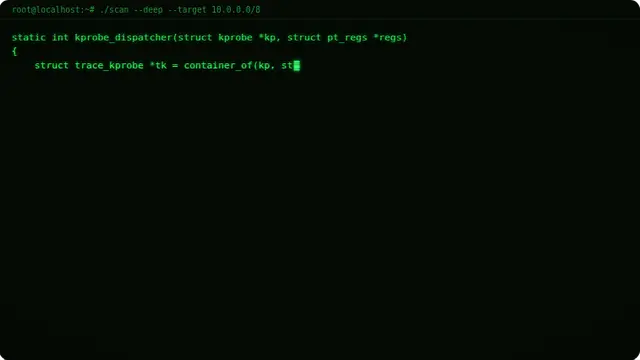
The code is real Linux kernel source rather than random characters, which matters more than you would think — anyone glancing over your shoulder sees something that holds up as code, with matching braces and sensible identifiers.
It types itself when nobody is at the keyboard, so it works equally well as an unattended screen. Start typing and you take over; stop, and it picks up again a moment later.
- A convincing "busy doing something important" screen
- A film or stage prop that survives being looked at closely
- A gag for a talk, a stream, or a party
Hacker screen and hacker simulator, in a browser
Keystrokes are captured by a hidden text field rather than by listening to the whole page, and that field takes the keyboard as soon as the terminal is on screen. Every key is yours here — F and Space type like any other, rather than meaning fullscreen and pause the way they do elsewhere on the site. Use the Fullscreen button to fill the display and Escape to come back out.
The characters-per-key control changes how fast the code appears. Higher values look more dramatic; lower values look more like someone actually typing.
How to run it, and how to stop it
Use the fullscreen button, then F11 to hide the browser’s own toolbars. That second step is the one that matters: an address bar sitting above the screen gives the whole thing away instantly.
To end it: Escape leaves fullscreen, F11 brings the toolbars back, and closing the tab removes it entirely. Nothing is installed, no file is written and no setting is changed, so there is nothing to undo afterwards.
Worth saying plainly — use this on people who will find it funny, and on machines you are allowed to touch. Show them the way out once the joke has landed.