










































What the fake windows 11 update screen is
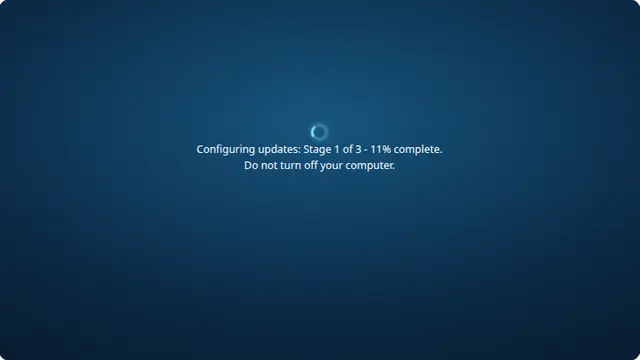
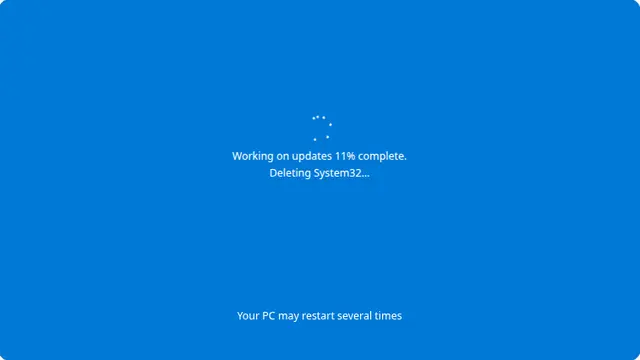
Windows 11 shows this screen after an update has downloaded and is being applied at restart. It is the modern flat design: a solid blue field, a ring of fading dots, one line of text and a percentage that is famously unrelated to how much time is left.
The stalling is what makes it believable. A real update sprints to thirty per cent, sits at the same number for several minutes, then jumps. A fake that counts smoothly from zero to a hundred is obvious to anyone who has waited through the genuine article.
Windows 11 update prank, no download
Open this on the machine you are pranking and press F11. That hides the browser toolbars completely, so there is nothing on screen that gives away that it is a web page.
Nothing is installed and nothing on the computer is changed. Closing the tab is the entire cleanup, and there is no way for the page to survive it.
How to run it, and how to stop it
Press F for fullscreen, then F11 to hide the browser’s own toolbars. That second step is the one that matters: an address bar sitting above the screen gives the whole thing away instantly.
To end it: Escape leaves fullscreen, F11 brings the toolbars back, and closing the tab removes it entirely. Nothing is installed, no file is written and no setting is changed, so there is nothing to undo afterwards.
Worth saying plainly — use this on people who will find it funny, and on machines you are allowed to touch. Show them the way out once the joke has landed.