
















































What the 10 print screensaver is
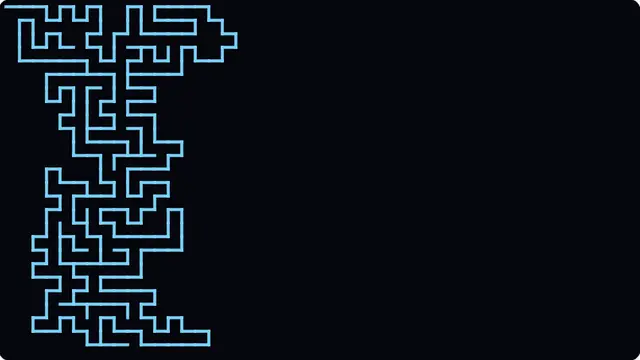
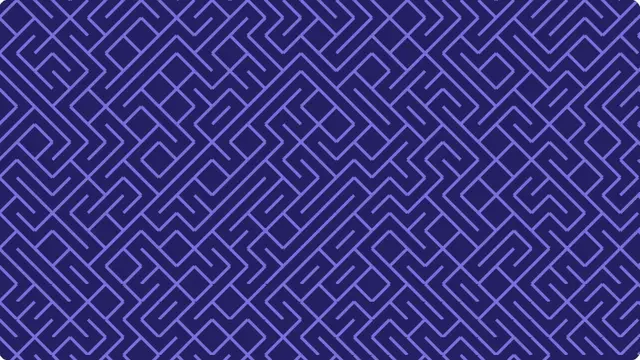
On a Commodore 64, character 205 is a diagonal leaning one way and 206 leans the other. Adding a random number between zero and one to 205.5 and throwing away the fraction picks one of them, and the semicolon keeps the cursor on the same line. GOTO 10 does it again, forever.
There is no grid, no maze generator and no memory of anything already on screen. Each character is decided on its own with no reference to its neighbours, and the corridors and dead ends are entirely a consequence of the two shapes happening to join up at their corners.
- A retro-computing display for a stream, a shop or an office
- The obvious background for anything about BASIC or the C64
- A pattern that fills the screen and then never stops
The Commodore 64 maze one-liner, in a browser
The scroll is part of it. Once the cursor reaches the bottom of the screen the whole display shifts up by one line and the maze keeps coming, exactly as the C64 would have done — which is what turns a picture into something worth leaving on. The default colours are the Commodore’s own light blue on dark blue, and choosing a different one rebuilds the background to match.
Character size sets how large the diagonals are, and so how many fit across. Small and dense reads as texture; large and sparse makes the joins between characters obvious, which is worth doing once to see how the maze is actually built.
How to run the 10 print screensaver full screen
Press the fullscreen button on the player, or the F key. Escape brings you back to the page. On a desktop browser F11 does the same job and hides the browser’s own toolbars as well, which is what you want on a display that is going to be left running.
Everything you change in the settings is written into the address bar as you change it, so the version you have set up is a link. Bookmark it, or send it to whoever is running the screen. Space pauses and resumes at any time.